Features
Everything You Need to Manage Your Classes
Class Tracker covers the everyday work of running tuition classes, from the first student you add to the end of the financial year. Here's what's included.
Student Management
Keep student information organized in one place, with each parent's details at the centre.
- Every student gets a permanent ID number
- Find students quickly by name or by their parent's phone number
- Brothers and sisters share one parent record, so details are updated once
- Each student's page shows their classes, attendance history and ID cards
Attendance Tracking
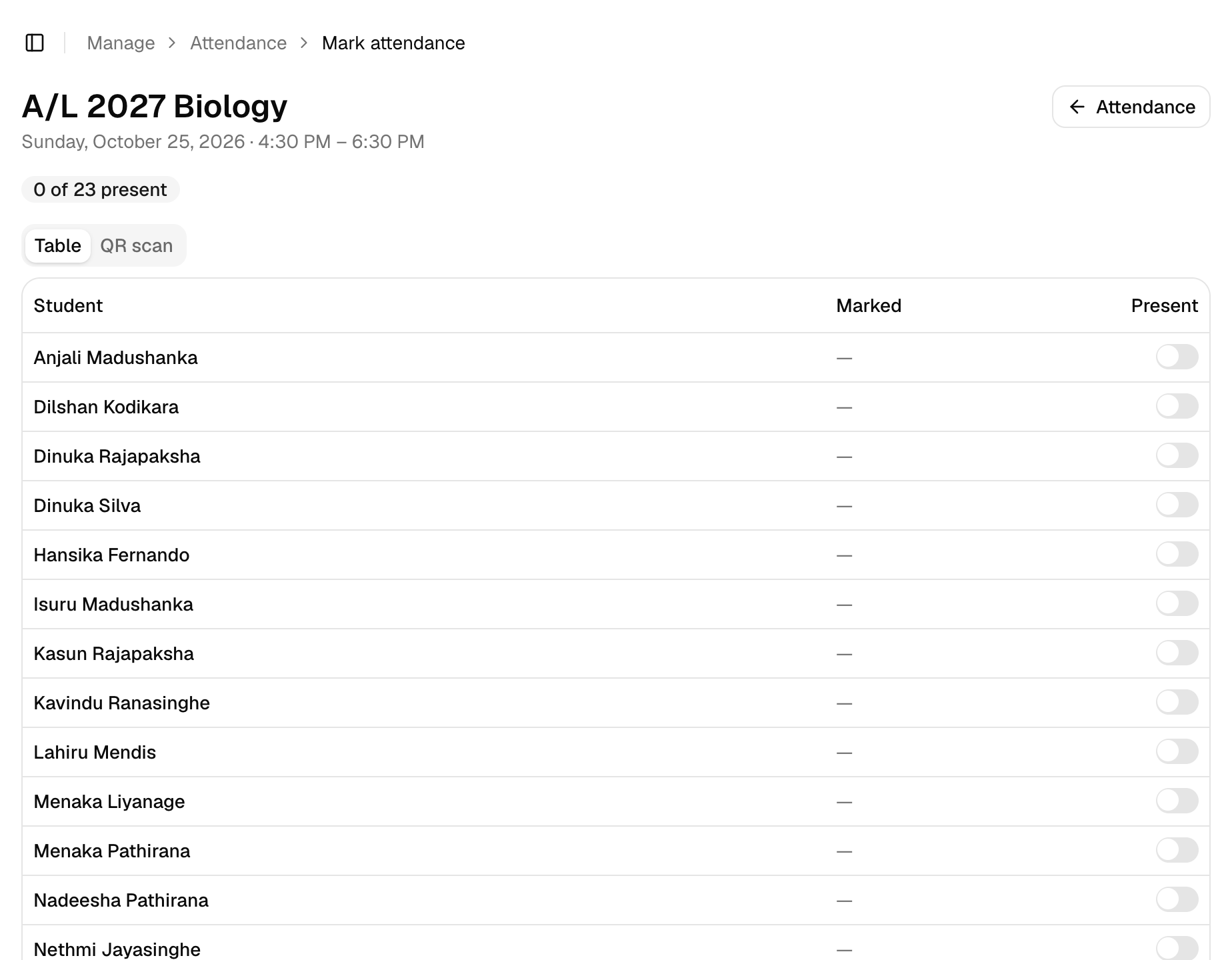
Record attendance at the door by scanning QR cards with your phone, or tick students off a list.
- Print QR ID cards with your class name and logo, ten to an A4 sheet
- Scan with your phone or laptop camera, or a standard USB or Bluetooth scanner
- Switch to a simple list when a student forgets their card
- A lost card is cancelled the moment you issue a new one
- See each student's payment status right next to their name while you mark
Payment Tracking
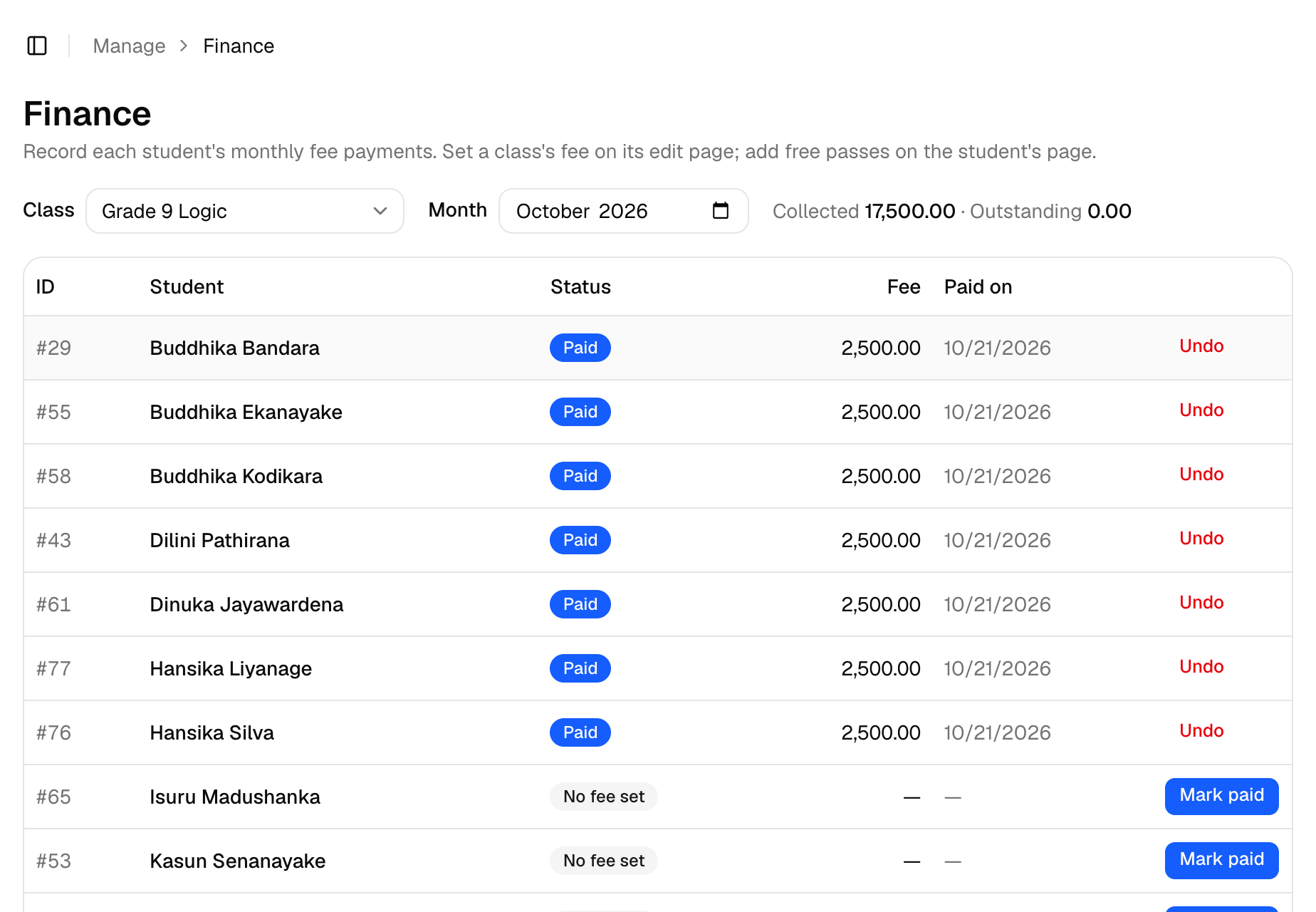
Keep class payment records organized and see who has paid for which month, in every class.
- A monthly fee for each class, with fee changes from the date you choose
- Record a payment with one click, and undo it if you make a mistake
- See what's collected and what's still outstanding for the month
- Past payments keep the amount actually paid, so old months never change
- Free passes and discounts for any months, for all classes or only some
Ready to leave the paper register? We'll set up your account with you.
Class Management
Set up each class once, with its schedule, fee and students, and everything else follows from it.
- Manage as many classes and subjects as you teach
- Classes can meet on any days of the week, each day with its own time
- More than one session on the same day, for morning and afternoon batches
- Today's classes appear first, then the rest of the week
Reports and Records
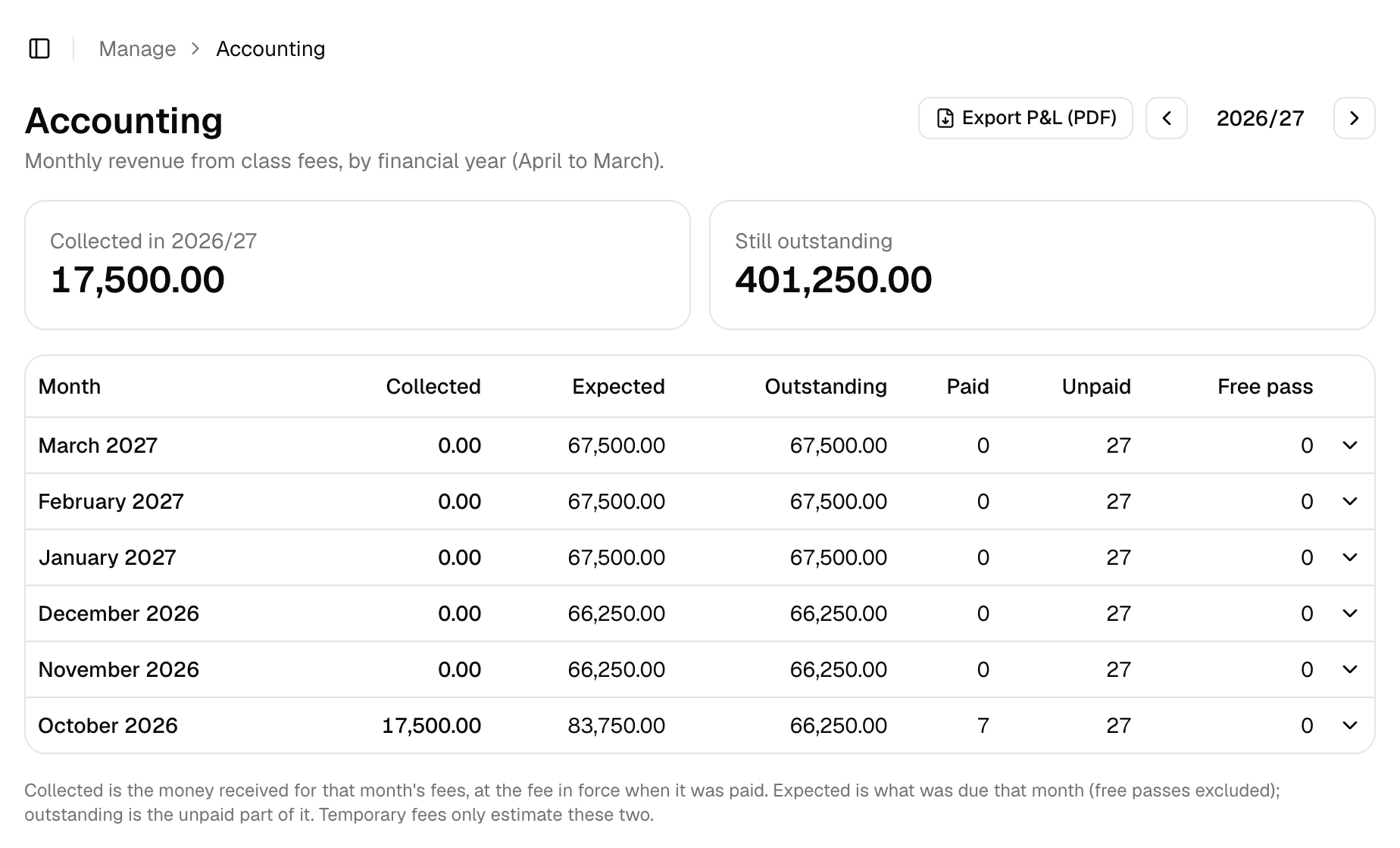
See your class income for the year, month by month and class by class, without building a spreadsheet.
- Collected, expected and outstanding totals for every month
- Organized by financial year, April to March
- Open any month to see the figures for each class
- Export a profit and loss statement as a PDF
Assistants and Access
If someone helps you run your classes, give them their own login with only the access they need.
- Decide what each helper can view or change, such as attendance but not payments
- Everyone signs in with a password or their Google account
- Your records are kept separate from every other teacher's
- Only the people you ask us to add can see your records
Ready to Manage Your Classes More Easily?
Bring your essential class records together with Class Tracker.
- Nothing to install
- Works on your phone and computer
- We set up your account with you